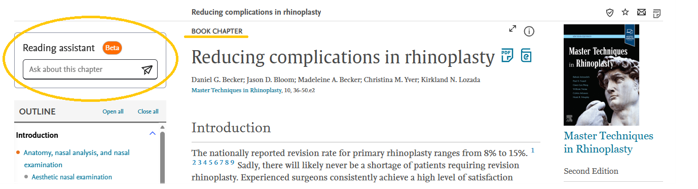
ClinicalKey Reading Assistant (beta) helps quickly understand content within the ClinicalKey (available to the Faculty of Medicine and Life Sciences at the University of Latvia). It is found on the left side when opening a book chapter or journal article and can be used to generate chapter or article summaries and ask questions about the text in natural language. Answers are generated within the context of the chapter or article. The tool provides references and allows you to jump to the referenced sections within the literature.
Watch video (~1 min.)
UL Faculty of Medicine and Life Sciences users have access to Reading Assistant, which is found in book chapters and journal articles. Unfortunately, ClinicalKey AI, the tool next to the search window, is not available.
Ask your question to a consultant at the Library of the UL!