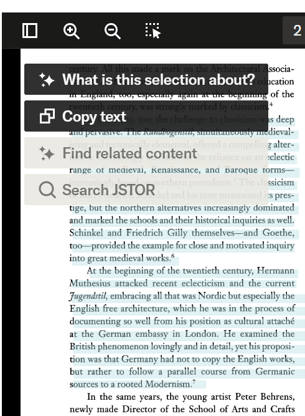
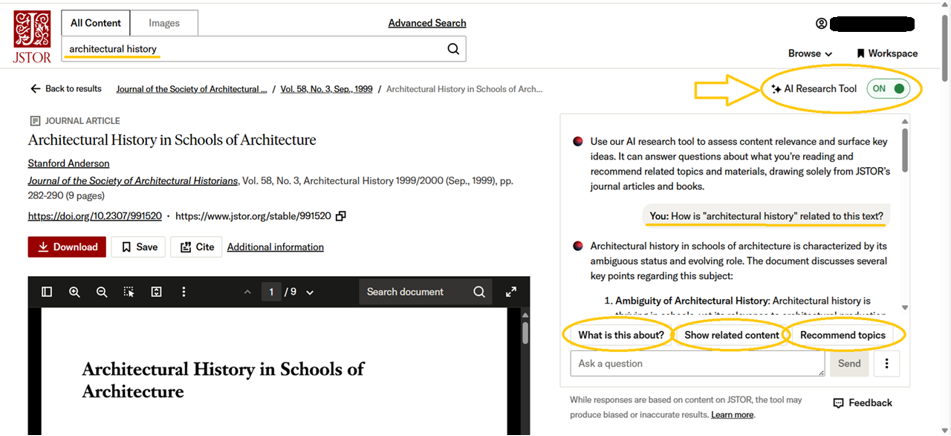
JSTOR’s AI Research Tool is found on the JSTOR item page for journal articles, book chapters, and research reports. It identifies how your search query relates to the content, suggests the text’s key points and arguments (What is this about, Show abstract, What is this selection about), lets you ask other questions, as well as searches for related content (Show related content, Find related content) and topics (Recommend topics) in the database. These options can be used both in the AI Research Tool conversation window and by highlighting text in the article. For longer text, you can use the What is this selection about option, and for shorter text Find related content. To use the tool, you need to log in or create a personal profile in the database. The conversations can be downloaded and cited.
JSTOR's AI Research Tool: Overview
JSTOR's AI Research Tool: Asking Questions About a Text
Ask your question to a consultant at the Library of the UL!
AI Research Tool conversation window
Highlighted text